Swap Task
Enter Swap Details
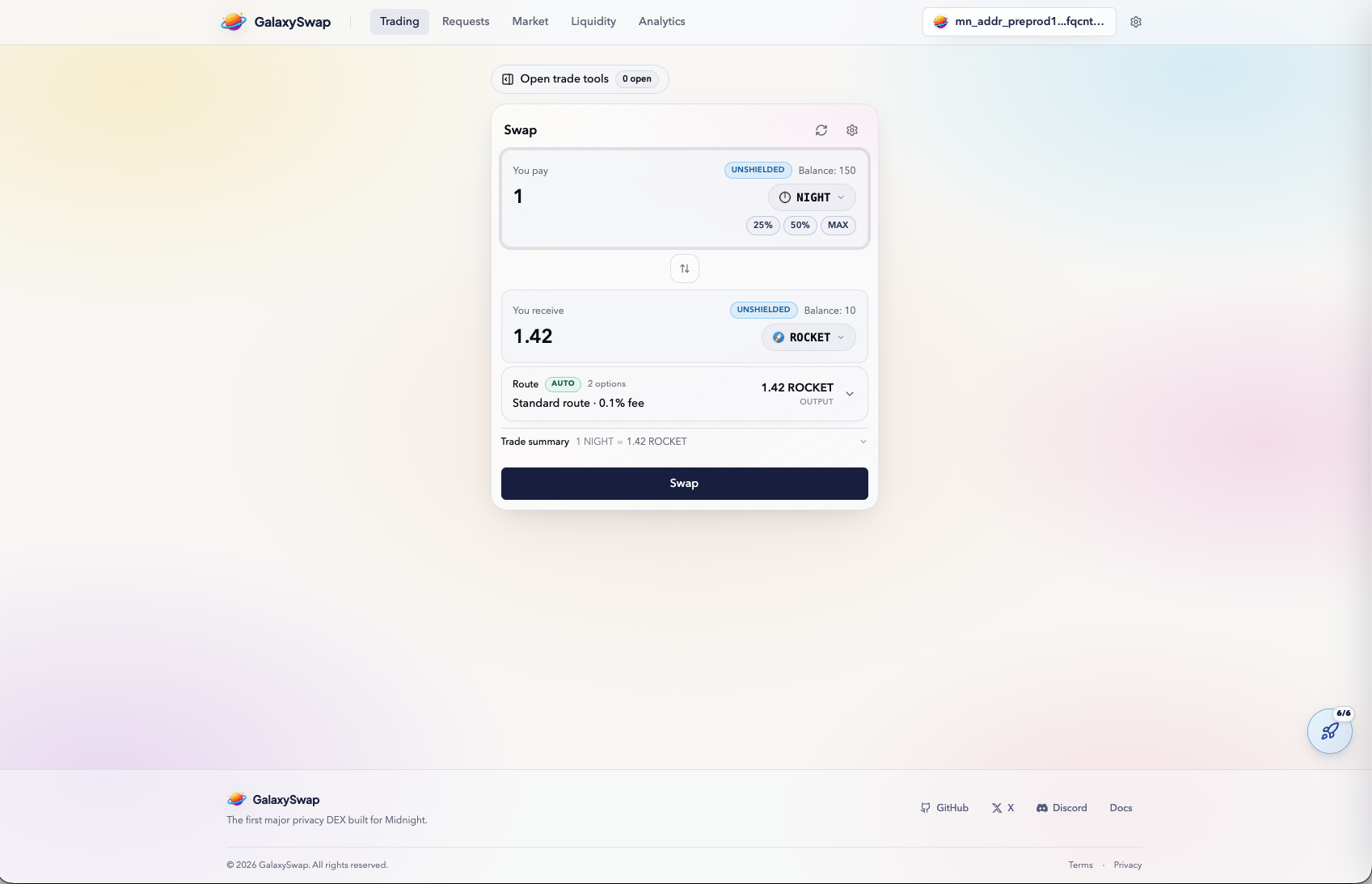
Start by selecting the token you want to trade and entering the amount of the token you want to trade. GalaxySwap calculates estimated output based on current pool conditions and displays it before execution. This preview helps users validate expected results before committing.
You can test different trade sizes using manual amounts or quick input controls. This makes it easier to understand slippage and token output behavior in a safe environment. The testnet is ideal for experimentation before real-value usage.
Select Token
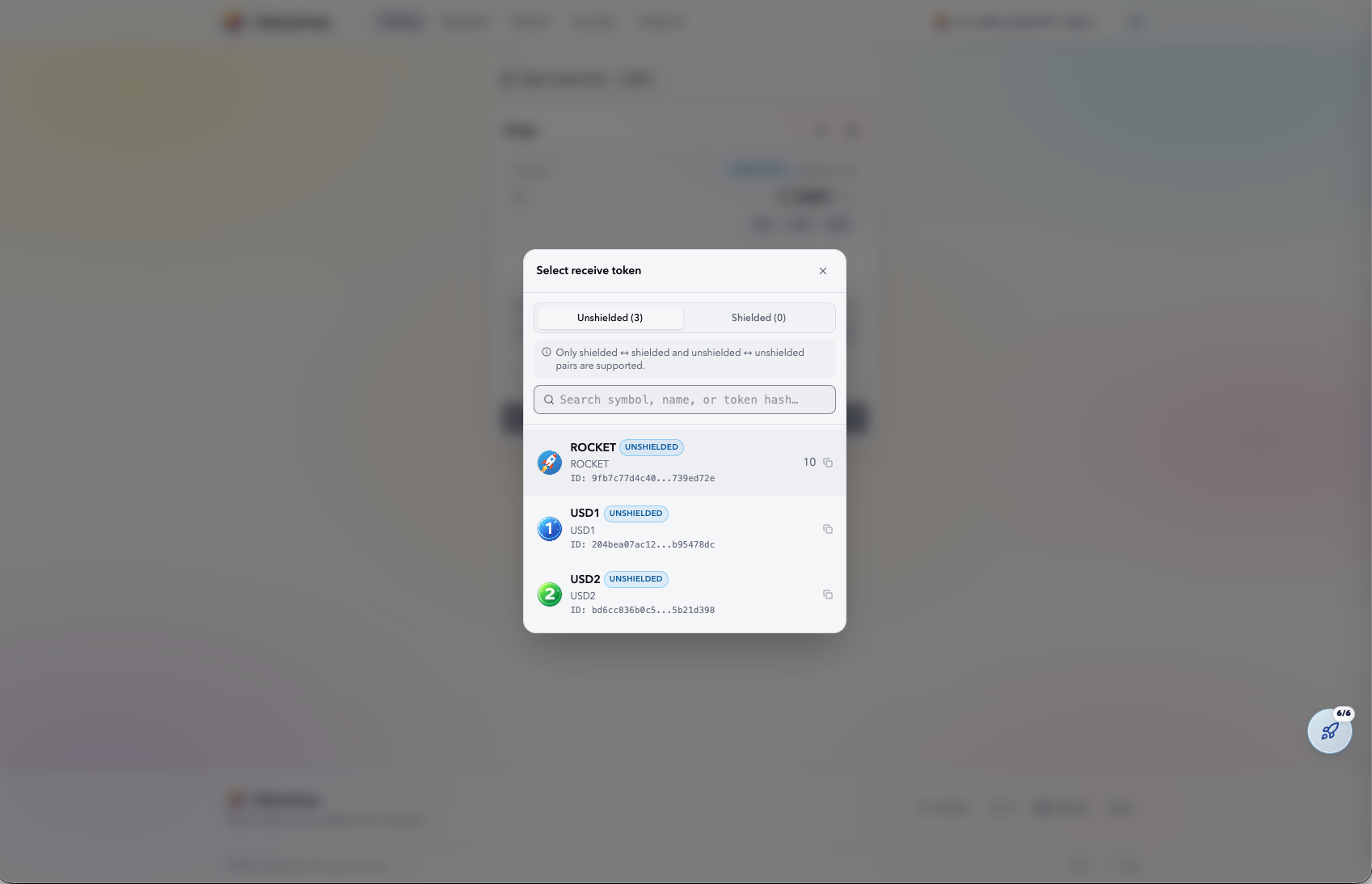
Choose the destination token from the available testnet list, such as ROCKET or USD variants. Once selected, the interface updates route details and expected output. The selected pair directly affects execution quality and price behavior.
Liquidity depth differs across pairs, so some routes perform better than others. Selecting an appropriate pair generally leads to smoother simulation and fewer surprises. This step is useful for learning how pool liquidity influences swaps.
Transaction Processing
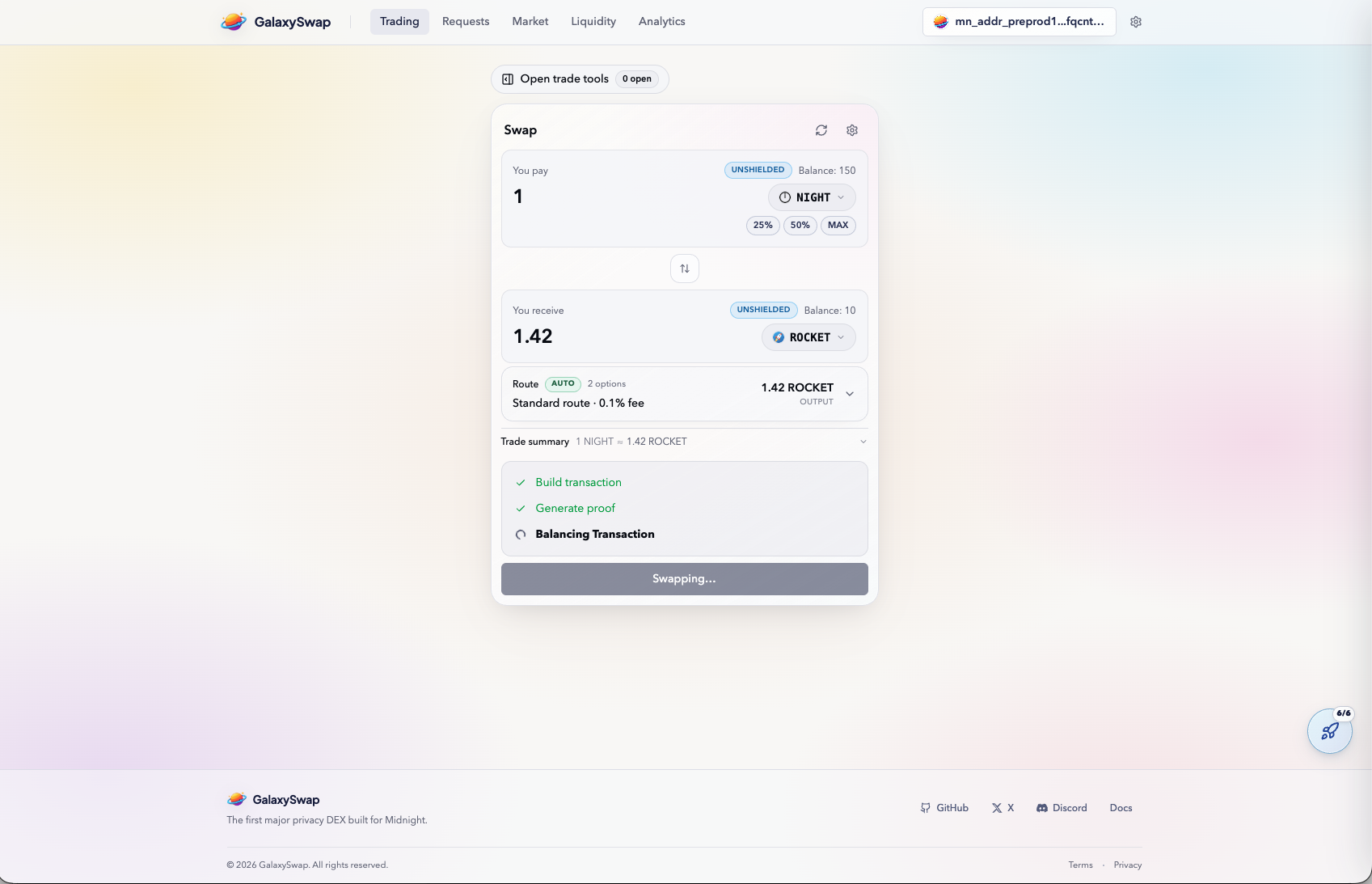
After you confirm the swap, GalaxySwap processes transaction construction and proof generation. These extra stages are part of the platform's privacy-first design. Progress states are shown so you can track execution flow.
Each stage contributes to secure and private settlement. Once processing is complete, wallet balances and request history update accordingly.
Verify Swap
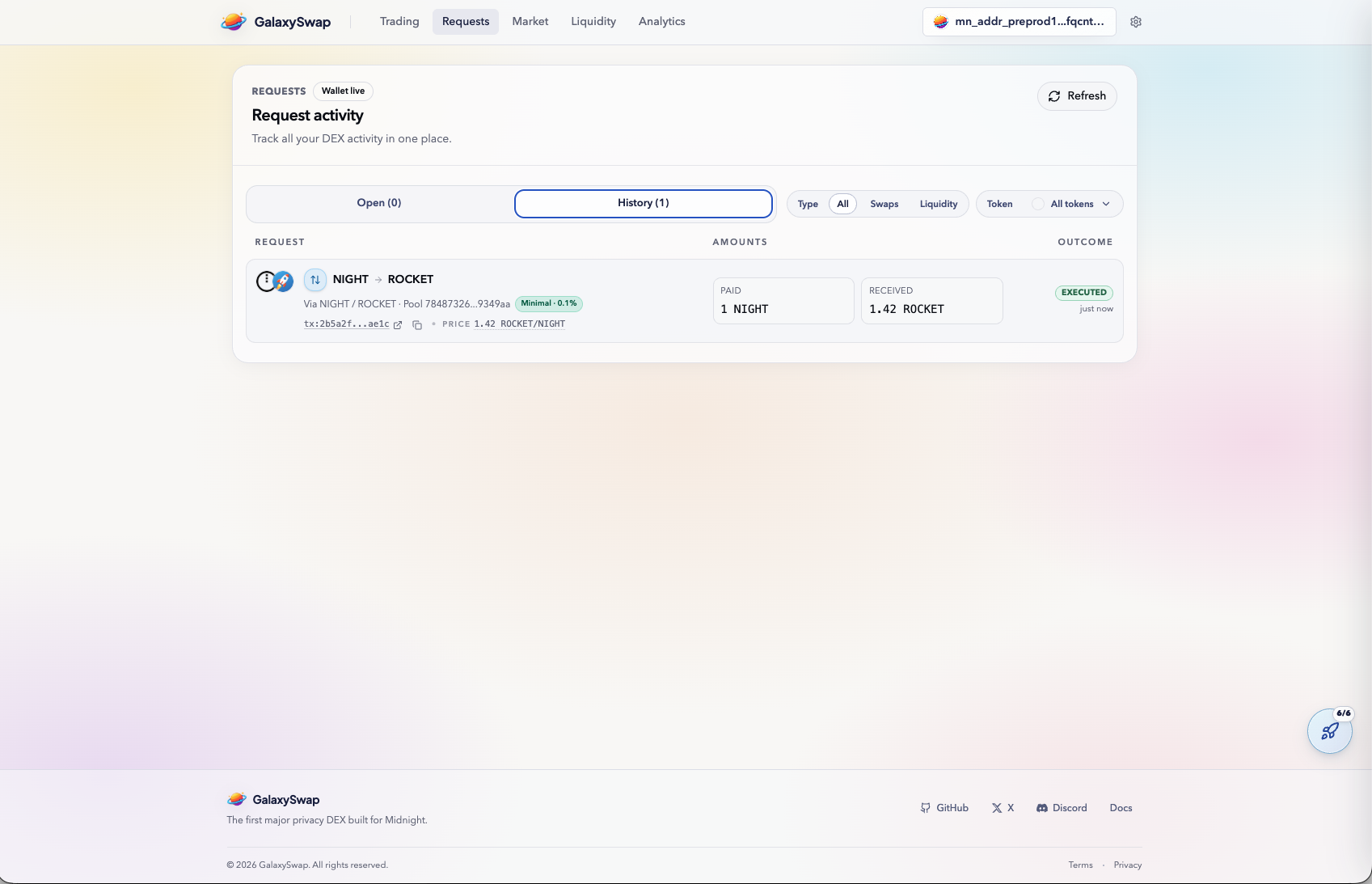
Open the Requests tab to verify whether the swap is completed. This view provides a reliable activity log for all recent actions. It is also the primary place to confirm that a transaction was submitted and finalized successfully.
Checking request history regularly helps catch incomplete actions early. It also supports mission validation by giving clear proof of swap activity. For testnet usage, this tab is your source of truth for action status.