General Onboarding
Connect Your Wallet
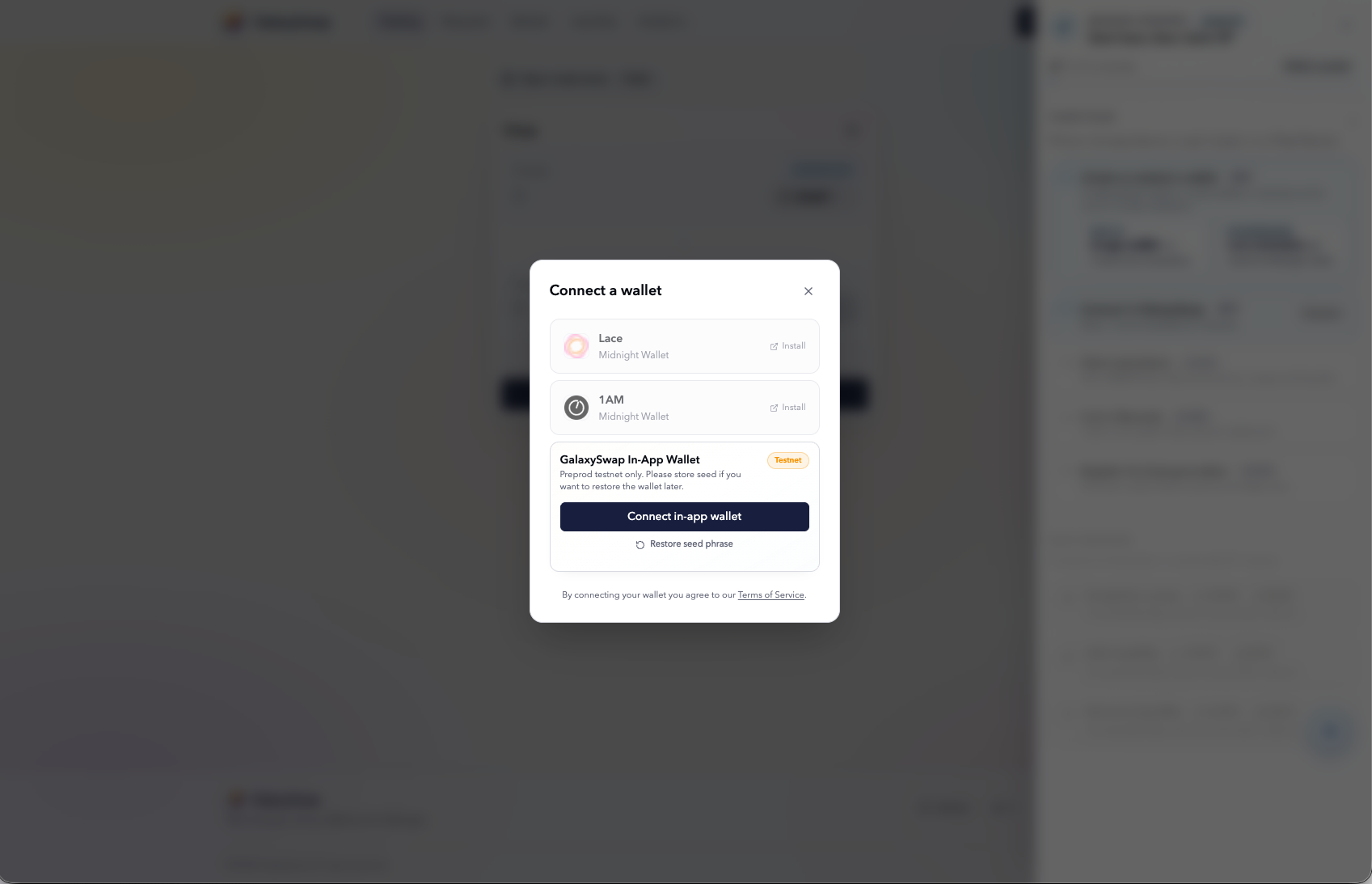
The first step in using GalaxySwap is connecting a wallet, since all platform actions require wallet identity. You can use external wallets such as Lace or 1AM, or choose the built-in GalaxySwap in-app wallet for a faster setup. The in-app wallet is often the simplest option for new users because it requires no separate installation.
Once connected, your wallet becomes your testnet identity and tracks mission progress and XP. If a seed phrase is generated, store it securely because it is the only recovery method. Losing wallet access means losing access to your testnet activity history and progress.
Mission Control and Flight Plan
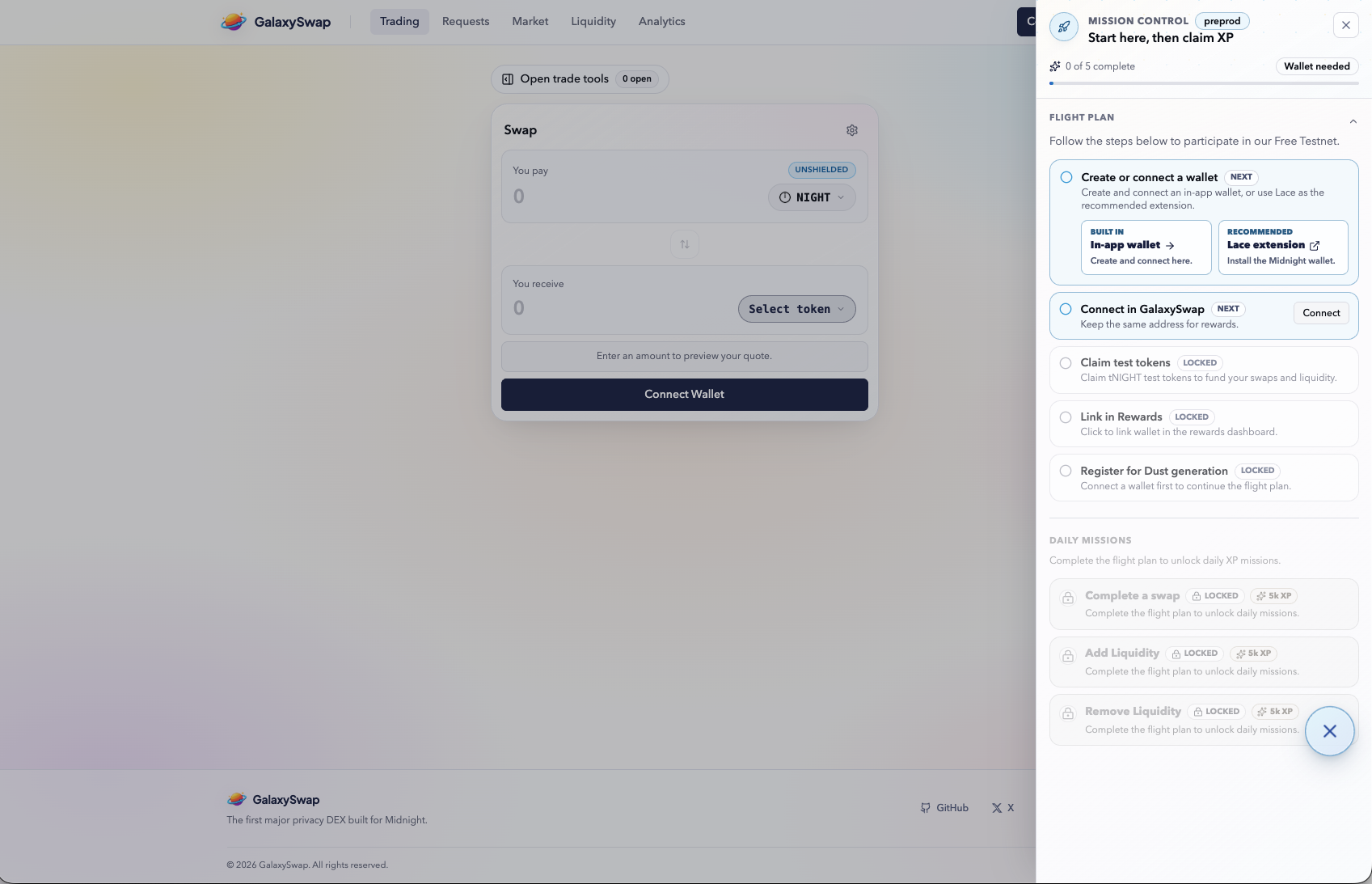
Mission Control serves as the main dashboard for onboarding and daily tasks. The Flight Plan outlines key steps, including wallet connection, token claim, and DUST registration. Completing these steps in sequence helps unlock full access to the testnet workflow.
After onboarding is done, Daily Missions appear and reset every 24 hours. These recurring tasks are central to steady XP gain and regular protocol interaction. Following Mission Control closely helps prevent missed steps and incomplete task tracking.
Claim Test Tokens
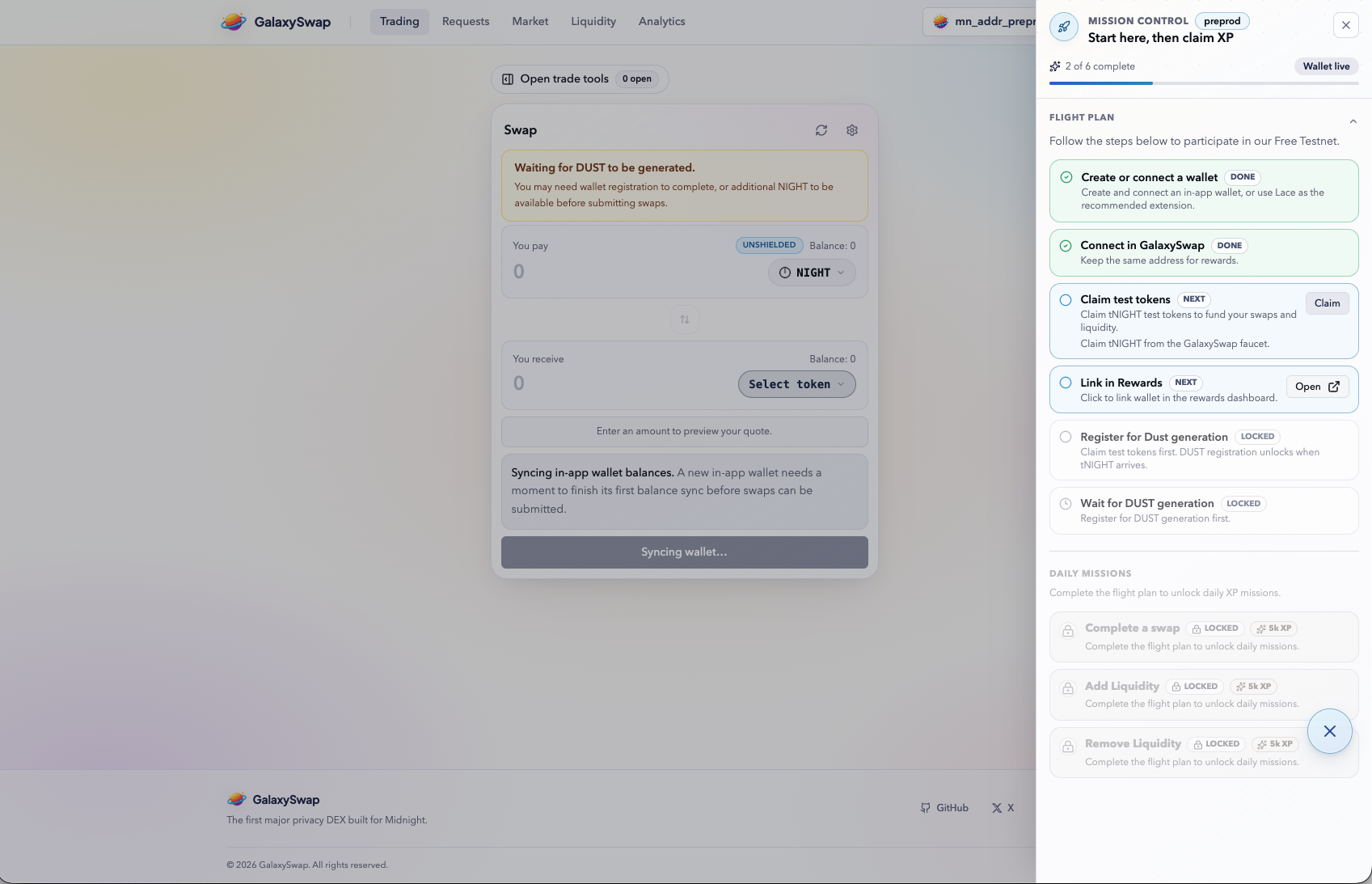
Before swapping or providing liquidity, you need testnet tokens that simulate real assets. Selecting "Claim test tokens" triggers a faucet request that sends tokens to your wallet. Depending on demand, requests may be queued briefly before final processing.
When processing completes, balances update in your wallet. If tokens are delayed in the UI, a refresh usually resolves it. These tokens are required for almost every core testnet action.
Link Rewards Wallet
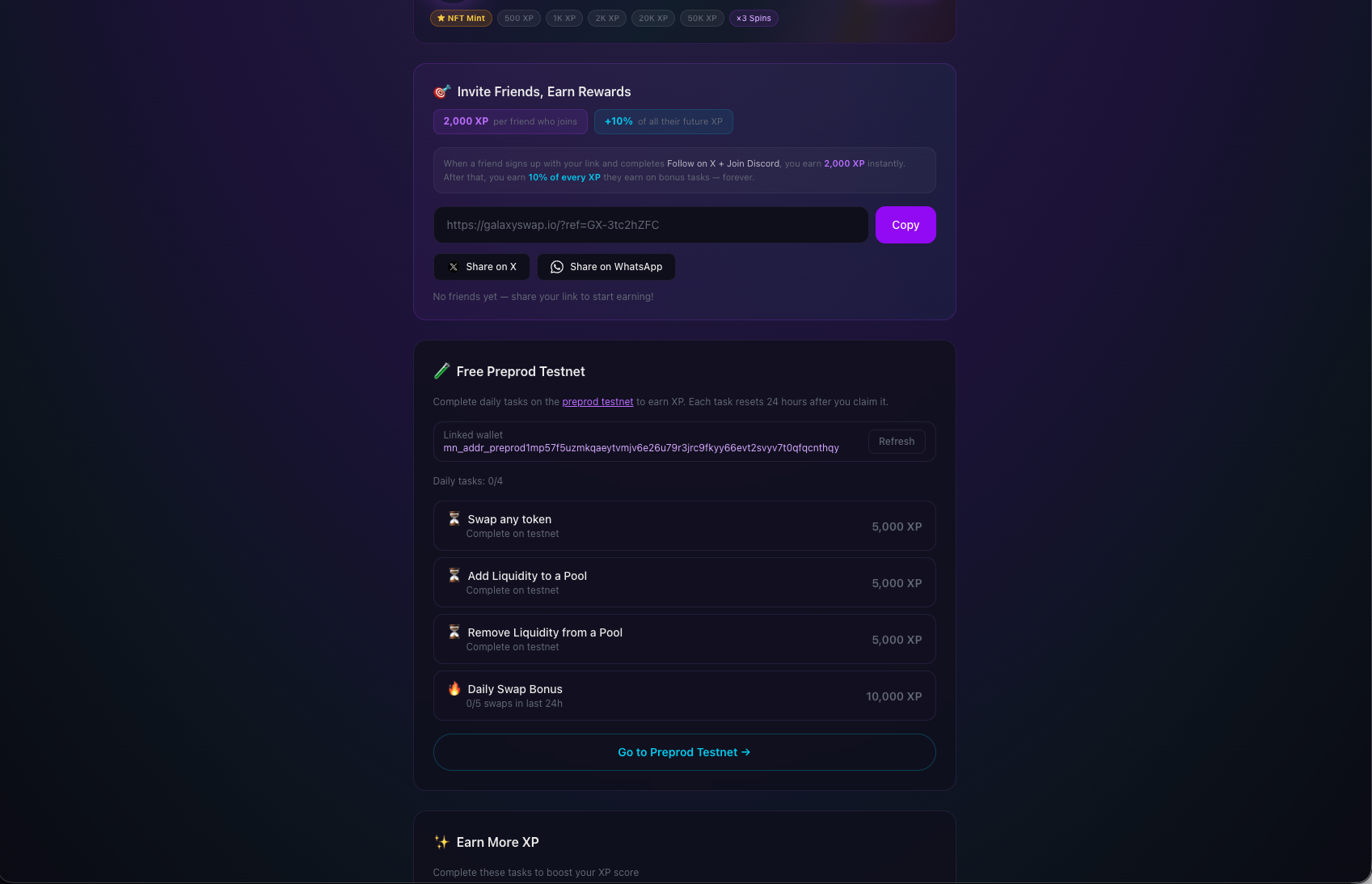
Linking your wallet to the rewards layer ensures your activity is tracked for XP. Without this connection, tasks may complete on-chain but not count in the rewards dashboard. This step ties mission completion and activity history to your wallet profile.
Use the same wallet throughout onboarding and daily missions. Switching wallets can cause fragmented progress and missing XP attribution. Consistency here avoids most tracking issues. In case you loose your wallet you can later add an additional address inside the rewards dashboard
Register for DUST
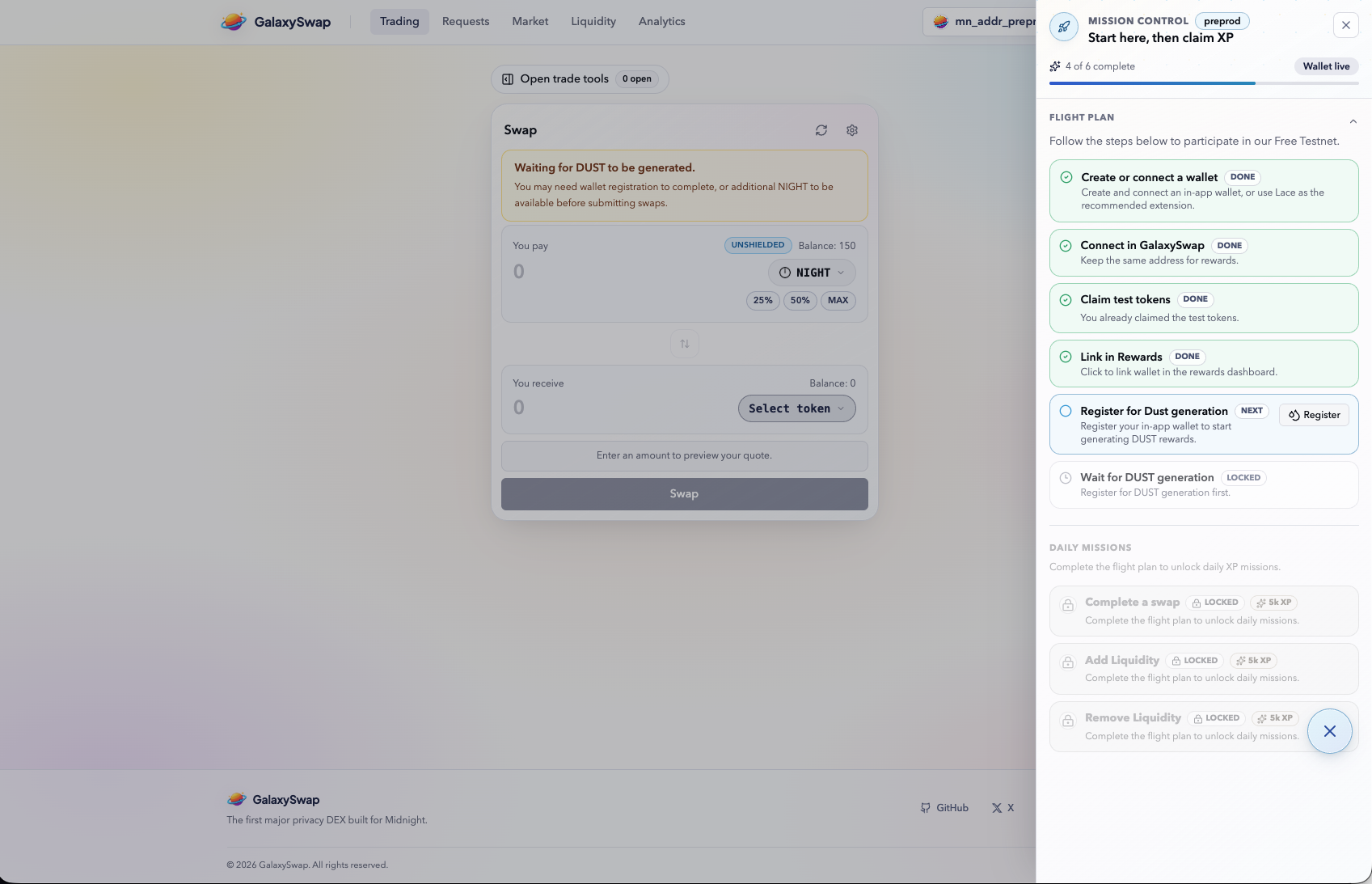
DUST registration enables required transaction functionality inside GalaxySwap. Certain protocol actions remain unavailable until this registration is complete. After submission, you may see a temporary waiting state while DUST is provisioned. If you want to learn more about DUST please check out the official Midnight documentation.
That delay is expected during setup and does not usually require intervention. Once enough DUST is generated, previously blocked actions automatically unlock. At that point, you can move to swap and liquidity missions.